Sending emails easily from your Azure application
When you host your application Azure you don’t get SMTP server or any other mail services.
So you got 2 choices. 1) Host your own SMTP server or 2) Use SendGrid where you can get 25000 emails/month for free.
Start by registering for SendGrid in this url.

Fill in the form and create your account. (Doesn’t require credit card).
It will take them a while to provision you an account. If you have any problems with provisioning don’t hesitate to send email to [email protected] They are very fast to fix your problem.
While it’s provisioning create a new WCF application. Remember to choose .net 4.0
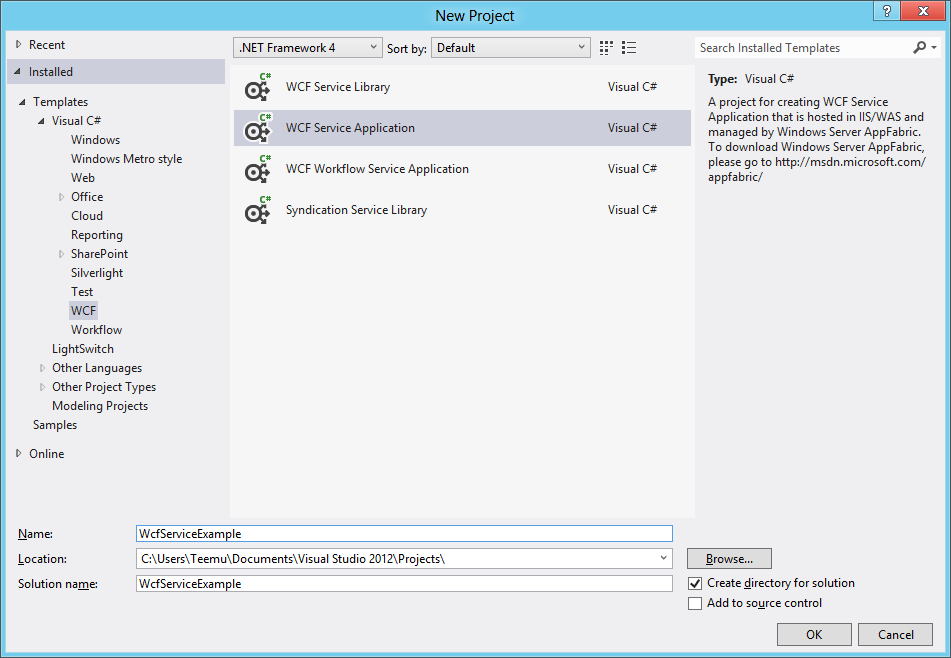
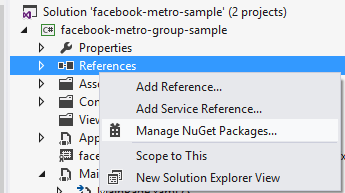
After that right click project and click manage nuget references
Then search for SendGrid and install it.
Now edit IService1.cs and Service1.svc
Now you can send emails easily from your Azure application.
You can find the published WCF service from url
Tags: Nuget, SendGrid, Visual Studio 2012 RC, WCF, Windows Azure, Windows Azure Websites
Trackback from your site.
Comments (7)
Windows Azure Community News Roundup (Edition #33) - Windows Azure - Site Home - MSDN Blogs
| #
[...] Sending Emails Easily From your (Windows) Azure Application by @TapanilaT (posted Aug 21) [...]
Reply
Windows Azure Community News Roundup (Edition #33) - Windows Azure Blog
| #
[...] Sending Emails Easily From your (Windows) Azure Application by @TapanilaT (posted Aug 21) [...]
Reply
Windows Azure Community News Roundup (Edition #33) | Platform as a Service Magazine
| #
[...] Sending Emails Easily From your (Windows) Azure Application by @TapanilaT (posted Aug 21) [...]
Reply
Creating watcher service that runs on Windows Azure
| #
[...] something nice. Consuming rss feed + Using Windows Azure Tables to store and retrieve data + Sending emails from your Windows Azure application = Windows Phone 8 SDK [...]
Reply
Anthony
| #
I’m using this and it works locally, but not on AzureWebsites.
I get:
Exception Details: System.Net.Sockets.SocketException:
[SocketException (0x271d): An attempt was made to access a socket in a way forbidden by its access permissions]
CodeScales.Http.HttpClient.Navigate(HttpRequest request, HttpBehavior httpBehavior) +772
CodeScales.Http.HttpClient.Execute(HttpRequest request) +45
SendGridMail.Transport.REST.Deliver(ISendGrid message) +115
Reply
Tapanila
| #
I’m looking into this but wasn’t able to reproduce the problem yet.
Reply
Anthony
| #
I tried a new azure website. With SMTP there’s no error, only with REST.
Should the interface example above be using the public modifier?
Reply